Best 5 Connectors That Help Claude Build a Complete Website
AI Takeaway
Build a website with Claude: five connectors from design to deploy, including Figma MCP, GitHub MCP and Vercel MCP. Setup commands and a simple workflow.
Key points
- Can Claude Really Build a Website?
- Connectors vs MCP Servers: A Quick Note
- The Design to Deploy Workflow at a Glance
- The 5 Best Connectors, One by One
- A Practical Prompt Sequence
- A Simple Example: A Five Page Business Site
A client sends you a Figma file on Monday and wants a live website by Friday. You could copy colors by hand, rebuild every section, test it on your phone, then figure out hosting at midnight.
Or you could let Claude work with the same tools you do. With the right Claude connectors for web development, it can read the design, write the code, test the pages, and help ship them.
This guide covers the 5 connectors that matter most, the workflow that ties them together, and the limits to know before you trust the result. It’s written for students, freelancers, agency developers, and site owners who work with developers.
Can Claude Really Build a Website?
Partly, and that’s the honest answer. Claude can do much of the work at each stage when it can reach your tools. It still needs your review for design judgment, accessibility, content, and business details. Think of it as a fast junior teammate, not an autopilot.
Connectors are what make the difference. Without them, Claude only sees what you paste in. With them, it can open the design file, read your repository, click through the finished pages, and check a deployment.
Connectors vs MCP Servers: A Quick Note
Claude connectors are MCP servers you add in claude.ai. In Claude Code, you add the same kind of server with Claude MCP add. Figma and Vercel both list Claude.ai and Claude for desktop among their supported clients, so you can use them in either place. The commands below are for Claude Code.
For basic setup steps, see the Claude Code docs. Anthropic advises verifying you trust each server before you connect it.
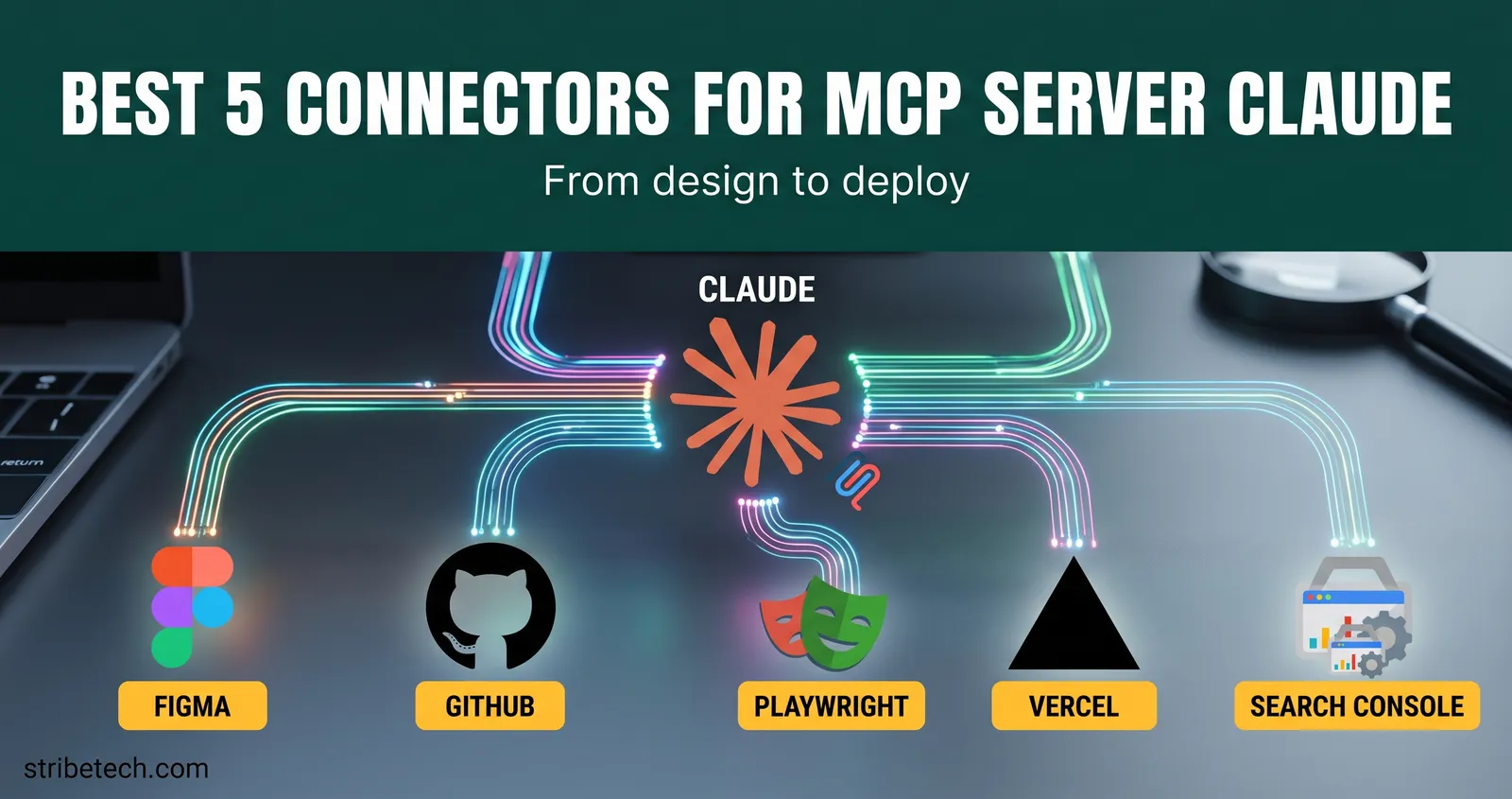
The Design to Deploy Workflow at a Glance
Stage | Connector | What Claude does | Type |
|---|---|---|---|
Design | Figma MCP | Reads frames, styles, and components | Hosted, OAuth |
Code | GitHub MCP | Creates branches, commits, and pull requests | Hosted, token |
Test | Playwright MCP | Opens pages in a real browser and checks them | Local |
Deploy | Vercel MCP | Checks projects, deployments, and logs | Hosted, OAuth |
Measure | Search Console MCP | Reports indexing and search queries | Community, local |
The 5 Best Connectors, One by One
Step 1: Figma MCP; from design to code
Figma’s official server gives Claude design context, such as layout, styles, and variables, so the code matches your design instead of a rough guess. Figma recommends its Claude Code plugin:
Claude plugin install figma@claude-plugins-official
Or add the remote server manually, then sign in with OAuth:
claude mcp add --transport http figma https://mcp.figma.com/mcp
How to use it: paste a link to a frame or layer. The remote server needs that link to know what to read.
Watch the limits: Figma limits tool calls by plan and seat. Free Starter plans and view-only seats get very few read calls per month, so check Figma’s rate-limit page before relying on it.
Big frames: Claude Code caps MCP tool output at 25,000 tokens by default. If a huge frame fails, select a smaller section.
Step 2: GitHub MCP: code, branches, and pull requests
Your site needs version control, and GitHub’s own server lets Claude work with repositories, issues and pull requests. Anthropic’s docs show connecting it with a fine-grained personal access token:
claude mcp add --transport http github https://api.githubcopilot.com/mcp/ \
--header "Authorization: Bearer YOUR_GITHUB_PAT"
Limit the token to the one repository you need. For big projects, Graphify vs reading raw files compares ways to help Claude understand a large codebase.
Step 3: Playwright MCP: test like a real visitor
Microsoft’s Playwright MCP lets Claude open your pages in a real browser, click buttons, fill forms, and check layouts. It catches the “looks fine in code, broken on screen” problems early.
claude mcp add playwright npx @playwright/mcp@latest
Ask it to test the contact form, the mobile menu, and any page with a table. It’s a test aid, not a replacement for checking on real devices.
Step 4: Vercel MCP: deploy and debug
Vercel’s official server runs at https://mcp.vercel.com and uses OAuth. It lets Claude search Vercel’s docs, manage projects and deployments, analyze deployment logs, and read analytics. Vercel’s changelog says it can now deploy code too. Add it and sign in through /mcp:
claude mcp add --transport http vercel https://mcp.vercel.com
Approved clients only: Vercel allows only AI clients it has reviewed, and Claude Code is on the list.
Powerful access: Vercel warns that connecting grants the AI the same access as your Vercel user account. Keep tool approvals on, and review before anything goes to production.
Using a different host? Check whether your host offers its own MCP server before assuming it does.
Step 5: Google Search Console MCP: measure after launch
A live site still has to be found. A Search Console server lets Claude pull clicks, impressions, indexing status, and sitemap problems in plain English. Unlike the first four, these servers are community-built rather than published by Google, so vet your choice carefully. Our walkthrough shows how to connect Google Search Console with Claude step by step.
A Practical Prompt Sequence
Once your connectors are ready, work in small steps and review each one:
1. Read this Figma frame [link] and list the sections, fonts, and colors.
2. Create a new branch and build the homepage in plain HTML and CSS.
3. Open the page in the browser. Check the mobile width and the contact form.
4. Fix any problems, then open a pull request with a summary.
5. Show me the preview deployment and any build errors in the logs.
Review the pull request yourself before merging. Claude can be confidently wrong, especially with accessibility and copy.
A Simple Example: A Five Page Business Site
Say a local business needs Home, Services, About, Contact, and FAQ pages. Here is how the connectors fit together:
Figma: the designer shares one frame per page. Claude reads each link and lists the shared components, such as the header, footer, and buttons.
GitHub: Claude creates a branch per page, so each change is small enough to review.
Playwright: after each page, Claude checks the mobile menu, the contact form, and the page at a narrow width.
Vercel: Each branch gets a preview link for the owner to approve before anything goes live.
Search Console: After launch, Claude checks that the sitemap was read and that all five pages are indexed.
The owner never touches code but still gets to see and approve every step.
What Claude Still Can’t Do for You
Judge taste. It can match a design, but it can’t tell you the design is right for your customers.
Guarantee accessibility. Check contrast, keyboard use, and image descriptions yourself or with a dedicated tool.
Know your business facts. You must provide prices, hours, and claims, and they must be true.
Replace legal review. Privacy policies, terms, and anything touching payments need a qualified person.
Fix what it can’t see. If a connector isn’t connected or a plan limit blocks it, the output quietly gets weaker.
Keep Costs and Risks Under Control
Long sessions get expensive. Learn how to save tokens in Claude Code before you start a big build.
Security matters before launch. Run through a small business website security checklist covering logins, SSL, and backups.
Use the narrowest permissions. Limit tokens to one repository and one project.
Keep secrets out of prompts. Use environment variables for keys.
Keep a human in the loop. Production deployments should need your approval.
Who Should Use This Workflow?
If you are… | Start with |
|---|---|
A student learning web development | GitHub and Playwright, so you learn real review and testing habits |
A freelancer with design-heavy clients | Figma, GitHub and Vercel |
An agency developer | The full set, with shared project configuration and approvals |
A small business owner | Ask your developer to use it. You mainly need the preview links and Search Console reports |
References
Frequently asked questions
What are the best Claude connectors for web development?
A strong starting set is Figma MCP for design, GitHub MCP for code and pull requests, Playwright MCP for browser testing, Vercel MCP for deployment, and a Google Search Console server for post-launch SEO data.
Can Claude build a complete website?
Claude can do much of the work, including reading designs, writing code, testing pages, and helping with deployment, when it has the right connectors. You still need to review the results for design quality, accessibility, content, and security.
What is the Figma MCP server?
The Figma MCP server gives AI coding tools design context from Figma files, such as layout, styles, variables, and components, so generated code can match the design. It has a remote server at mcp.figma.com/mcp and a desktop server.
How do I connect Figma to Claude Code?
Install Figma’s plugin with the Claude plugin install figma@claude-plugins-official, or run claude mcp add --transport http figma https://mcp.figma.com/mcp. Then sign in with OAuth and paste a link to a Figma frame when you prompt.
Does Figma MCP work on the free plan?
The remote server is available on all seats and plans, but usage is limited. Starter plans and view only seats get very few read tool calls per month, so check Figma’s current rate limit page.
What is the GitHub MCP server used for?
GitHub’s official MCP server lets Claude work with repositories, issues, and pull requests. Use a fine-grained personal access token limited to the repositories you need.
What does Vercel MCP do?
Vercel MCP is Vercel’s official hosted server at mcp.vercel.com. It lets approved AI clients search docs, manage projects and deployments, analyze deployment logs and read analytics, and Vercel says it can now deploy code.
Is Vercel MCP safe to use?
Vercel says connecting grants the AI the same access as your Vercel user account and recommends trusting only approved clients. Keep human approval on for tool calls and review changes before production.
What is the difference between Claude connectors and MCP servers?
Connectors are MCP servers you add in claude.ai. In Claude Code you add MCP servers with Claude MCP add. Figma and Vercel list both Claude.ai and Claude Code among supported clients.
What is Playwright MCP?
Playwright MCP is Microsoft’s server that lets an AI assistant control a real browser. Claude can use it to open pages, click through flows, fill forms, and check layouts.
Can I build a website with Claude if I do not know how to code?
You can get surprisingly far, but you will struggle to judge the result. Start with small pages, ask Claude to explain each step, and have a developer review anything that handles payments, logins, or customer data.
How do I keep Claude Code costs down while building a site?
Clear context between tasks, work in small steps, choose a lighter model for simple jobs, and trim unused servers. Long sessions with big design files use more tokens.
Do I need all five connectors?
No. Start with GitHub and Playwright, then add Figma if you work from designs, Vercel if you deploy there, and Search Console after launch. Fewer connectors means less clutter and risk.
How do I check that my connectors are working?
Run /mcp inside Claude Code to see each server and its status, or run claude mcp list in your terminal. Sign in from /mcp if a server shows it needs authentication.
Written by
Muhammad Sohaib
Spotted a mistake? Report a correction · How we handle corrections
Keep reading
12 Best GitHub Repos for Web Development; Build a Website Faster
12 Best GitHub Repos for Claude Code Users
15 Best GitHub Repos for AI Developers Right Now